Create JST-2 characters from images, motion from text, and explorable 3D scenes. Preview real outputs and export assets in this independent Viggle API studio.
See what the model actually creates: rigged 3D characters from images, movement from text, and spatial environments. Every example below is our own generated output.
01 / Characters + motion
One image becomes a character. A sentence makes it move.
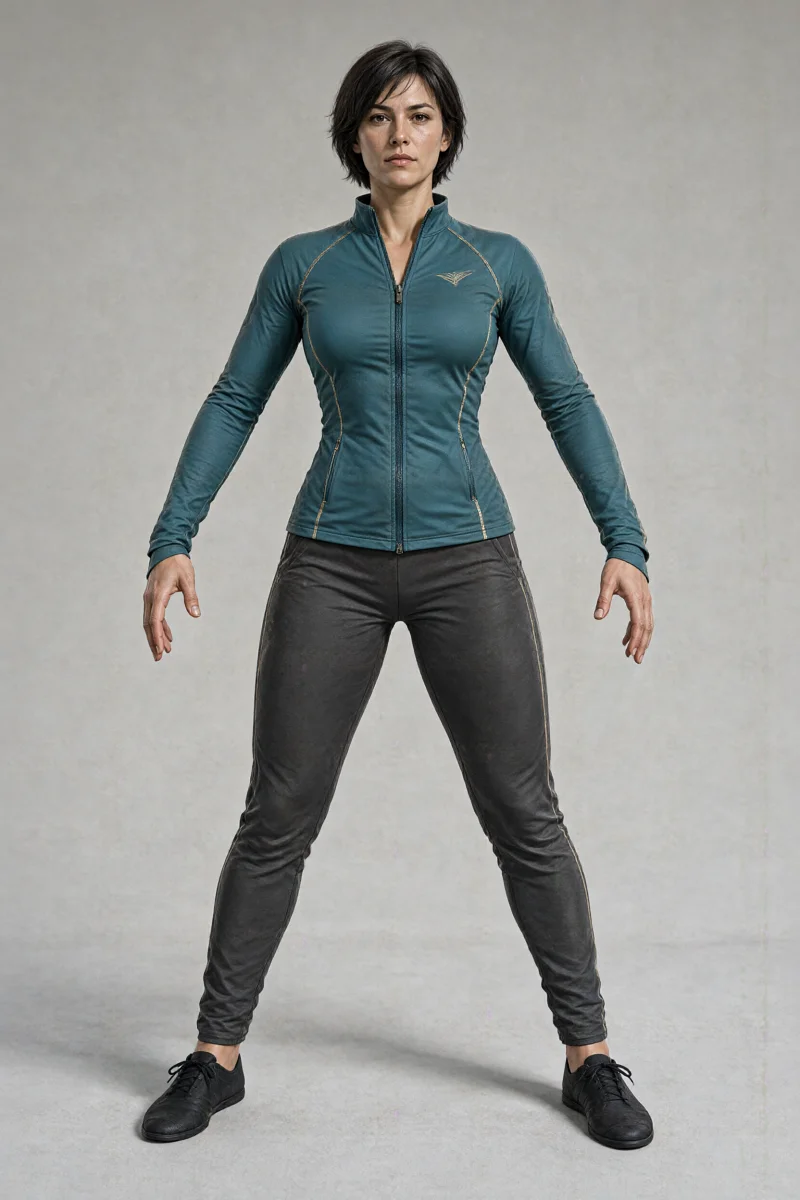
Two original characters. Three generated movements. Mix them, orbit the result, and inspect real-time skeletal animation—not a prerecorded video.
Original source images generated with Qwen; rigged 3D characters extracted by JST-2. No borrowed game characters.
Original rigged Gaussian-splat character · Live playback, not a video
Real generation / Reusable assets
Ember · Boxing combination
Image → enhanced VSPLAT character with an 86-joint body rig. Text → matching MetaHuman-body animation. The same movement works on both characters without manual rigging here.
A martial artist in a balanced boxing stance performs a controlled left jab, right cross, and left hook combination, then returns to guard. Small deliberate footwork, realistic full body coordination, stay near the starting position.
These are our actual API outputs, not the reference creator’s assets. Generated anatomy and motion can have artifacts; inspect before production use. The viewer supplies playback and camera controls, not combat rules, collision physics or a finished game.
02 / Spatial environments
Build the world around your character.
Explore the original scene outputs. These environments are separate assets; combining them into a game requires your own application logic.
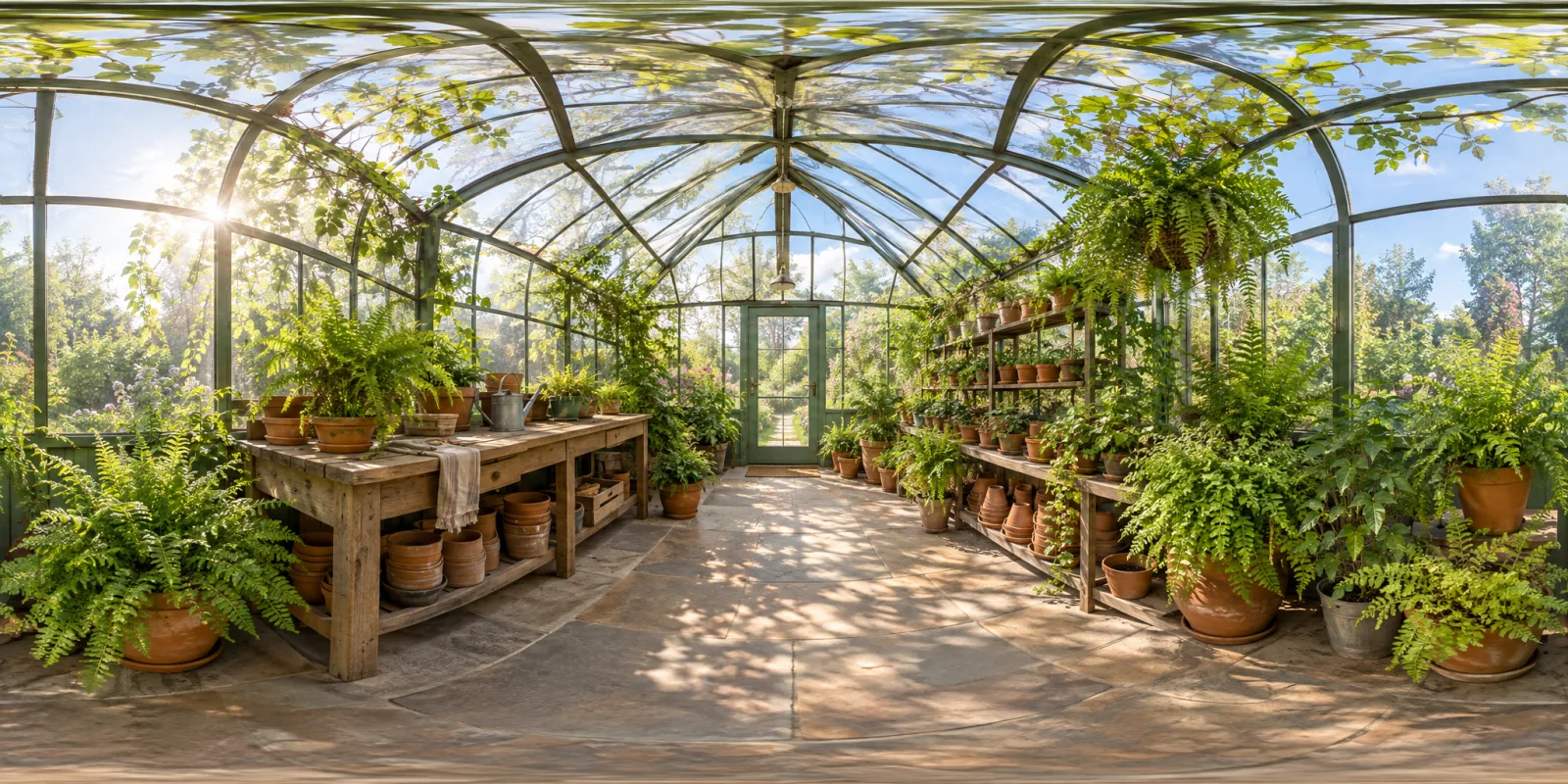
Real Gaussian splats · ~17 MB · Drag to look around
Generated through Viggle’s JST-2 scene API. Explore the actual SPZ scene in 3D above. Move a little to inspect depth; larger movements can reveal gaps in generated geometry.
A small sunlit greenhouse with a wooden bench, potted ferns, glass walls, terracotta pots, and soft morning light. A clear central walkway, realistic botanical textures, calm atmosphere. No people, no text.
Try this prompt in the studio. Your result will vary.
These environment examples render original SPZ scene files using WebGL2. Scene data loads only when you choose Explore in 3D; panoramas and downloads remain available without WebGL. Scene generation is separate from character and motion generation above. Generated geometry can contain gaps and artifacts.
The model, explained
A scene has more than one angle.
Developed by
Viggle
Announced
JST stands for
Joint Space-and-Time
JST-2 puts scenes, characters, and motion into a shared 3D world.
Viggle calls it a physics-native world foundation model. The useful distinction is what the system represents: spatial elements that persist across viewpoints and time, rather than only the visible pixels of a finished video.
Underneath are persistent atoms, or Physics-Native Tokens, carrying position, attributes, and learned dynamics. The model decodes these into 3D Gaussian splats, a representation used to render a scene from different viewpoints.
In this studio, you can generate a character from an image, create a motion from text, and preview the two together in your browser. Scene generation remains available in the same workspace. Export your assets for compatible 3D tools.
JST-2 supports up to 64 input views for scene inference. A shared spatial representation lets the system work with a scene from multiple angles, rather than treating every view as an unrelated image.
Viggle reports about one second and below $0.01 per scene inference on NVIDIA B200 hardware, excluding network latency. These are model inference figures, not end-to-end speed guarantees or consumer pricing.
02
Characters with motion built in
Upload a PNG, JPEG or WebP image to generate a rigged VSPLAT character. Preview it in 3D and pair it with a motion from your own library. Inspect the character’s shape and proportions before asking for more complicated movement.
03
Full-body movement
Describe a full-body action and choose a duration from 3 to 60 seconds. Preview the generated motion on its own or apply it to your character. Download MetaHuman-body or Mixamo GLB and FBX exports for compatible tools. Inspect foot contact and balance before using an output in a larger project.
Choose a workflow
JST-2 feature guides
Practical inputs, outputs and limitations for each capability, with a clear distinction between this studio and Viggle’s own tools.
Create a character, give it motion, or generate a scene in our independent studio. Viggle’s own PINOC app has a separate account and credits.
Create your studio account
Continue with Google or GitHub, then open the studio. Your characters, motions, scenes, and credit transactions belong to your account.
Check your site credits
A character uses 30 credits, a motion uses 10, and a scene uses 6. See pricing and purchase availability before generating. Credits are returned when a failure is confirmed; an uncertain outcome is not a confirmed refund.
Upload, describe, then inspect
Start with a clear character image. Generate a motion from a short description, then select both in your library to preview them together. Download the VSPLAT character and GLB/FBX motion when ready. Prefer Viggle’s own app? Open PINOC.
A few things worth knowing.
JST-2, without the guesswork.
What is JST-2?
JST-2 is Viggle’s physics-native world foundation model, announced on October 19, 2026. JST stands for Joint Space-and-Time. It brings scenes, characters, and motion into a shared 3D representation, using persistent atoms called Physics-Native Tokens. These carry position, attributes, and learned dynamics, and are decoded into 3D Gaussian splats.
Is jst-2.com affiliated with Viggle?
No. JST-2 Studio is an independent application using Viggle’s API, not an official Viggle website. Create rigged 3D characters from images, motions from text, and 3D scenes using site credits. Viggle processes generation inputs. PINOC and the release imagery belong to their respective owners.
Is JST-2 free, and what does it cost?
A scene costs 6 site credits, an image-to-character task costs 30, and a text-to-motion task costs 10. Choose a one-time pack: Starter: 100 site credits for $5.00; Creator: 500 site credits for $20.00; Studio: 1,500 site credits for $50.00. Purchased credits never expire, and there is no subscription. Secure checkout is handled by Stripe, and credits are added after payment is verified. No credits are awarded just for registering. Site credits belong to this independent studio and are separate from Viggle API credits. Viggle also offers its own PINOC entry point under its own limits and terms. Research inference costs are not consumer prices.
Is there an official API?
Yes. This studio uses Viggle’s official API for image-to-character, text-to-motion, and text-to-scene generation. Outputs include rigged VSPLAT characters, GLB/FBX motions, and SPZ scenes. API credentials stay on our server. For direct integration, use Viggle’s developer platform and documentation; their prices and account credits are separate from this site.
The central distinction is representation. A video model produces a sequence of frames; JST-2 represents a scene and its contents in 3D, with motion in the same system. Persistent spatial elements give the model a way to describe a world across viewpoints and time. This does not mean every interaction is physically simulated or that every output will be consistent.
What is the difference between JST-2 and JST-3?
In JST-2, scene collisions and object interactions still use rule-based systems. Viggle describes learned physics for JST-3 as future research. That direction is not a current JST-2 feature, and the announcement should not be read as a release or availability promise for JST-3.
Go straight to the source.
Based on Viggle’s release and API documentation. Reviewed .